

GPS Guru
Active Member
I've had a few queries from customers on how to set up a USB connected GPS on a laptop so I thought I'd share the info.
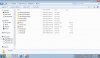
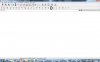
Firstly, click on your C Drive and open the Oziexplorer folder. You will see a folder in there called "Maps". Open the "Maps" folder and copy and paste your maps into there. You can create other folders in there too if you wish. For example you could call one Hema to load all your Hema maps in there etc. See the first screen shot.
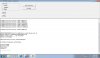
Now run the GPS Port Checker software that can be downloaded at Official OziExplorer Web Site - GPS Mapping Software for Tracking and Navigation. Supports Garmin, Magellan, Lowrance and GPS under Utilities. Make sure that your GPS is connected. You click on the "find GPS" tab and get a result as in picture 2.
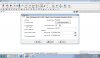
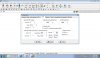
Now open Oziexplorer and go to "File" then "Configuration". You will have open what is in pic 3. Now click the "Com" tab and place the figures that you obtained in the GPS Port Checker in the relevant boxes ie.
Com Port to COM5
Baud Rate to 9600
Parity to None
Stop Bits to 1
See picture 4. Then click on save.
Now you have to start the NMEA communication. You do this by clicking on the lightning bolt type symbol a bit below the "3D/elavation" tab at the top. I have circled it in black (picture 5). Assuming that you have set everything up correctly, it will bring up the best map automatically. To turn the GPS off, just click on the NMEA communications symbol again.
Then off you go!
Attachments
Last edited:

