Converting ozf3 - jpeg

Emu Liquid

New Member
Hi all
Hope someone can help me, I've tried a google search with no luck so far. I want to print some a3 size maps, to do this i have to convert my ozf3 maps to jpeg any ideas how this is done?

Cheers
 

muc the truck

Well-Known Member
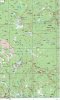
I have printed maps by simply opening them up in ozie, hema etc , taking a screen snapshot and print off that file .

eg this photo attached
 

Attachments

  • fox.JPG
    fox.JPG
    595.5 KB · Views: 211
Last edited:

Emu Liquid

New Member
Cheers fellas
Is it that simple to save a ozf3 as a bitmap file in ozi ill have to try that when I get back home what am I looking for, and with the screen shot I'm really not to sure how to do that?

Enjoy
 

bluehilux

Banned
you can use the "snipping tool" to take a snapshot if you can't save as a bitmap file in ozi

How to use the Snipping Tool - YouTube

or
Save map image

function oziSaveMapImage(FileName:pansichar):integer;stdcall;

Versions
API - 1.07
OziExplorer - 3.95.3e

Parameters

FileName - the name of the file to save the map image to (.png or .bmp extensions can be used).

Note - some licensed image formats cannot be saved.
 
Last edited:
Top